


SaaS Website Design Agency
SaaS websites that perform like the product they sell.
SaaS website design and development on hand-coded WordPress: a design that belongs to your product, Core Web Vitals engineered in, a CMS your marketing team can run without engineering, and migrations from Webflow, Squarespace, or headless builds that protect your rankings.
Why SaaS Websites Outgrow Their Templates
Most SaaS marketing sites start on Webflow, Squarespace, or a WordPress page builder because that was the fastest way to get something live before launch. It works until it does not. The design starts to look like every other software site built from the same template. The site gets slower with every marketing tool added to it. Engineers get pulled into marketing changes, or marketing waits weeks for a developer. And search engines, which now decide a large share of which tools make the shortlist, see a site that renders slowly and says the same thing on every page.
We design and build SaaS websites on hand-coded WordPress themes: a design that belongs to your product rather than a theme marketplace, performance engineered in from the first template, a content model your marketing team can publish to without engineering, and the technical SEO and structured data that put a product in front of buyers. Hoppr, Dragonboat, and doxy.me each came to us from a different platform with the same underlying problem, and each left with a site that performs like the product it sells.
What We Build for Software Companies
Every project is scoped to the product, but these are the pieces almost every SaaS website needs.
Design That Matches the Product
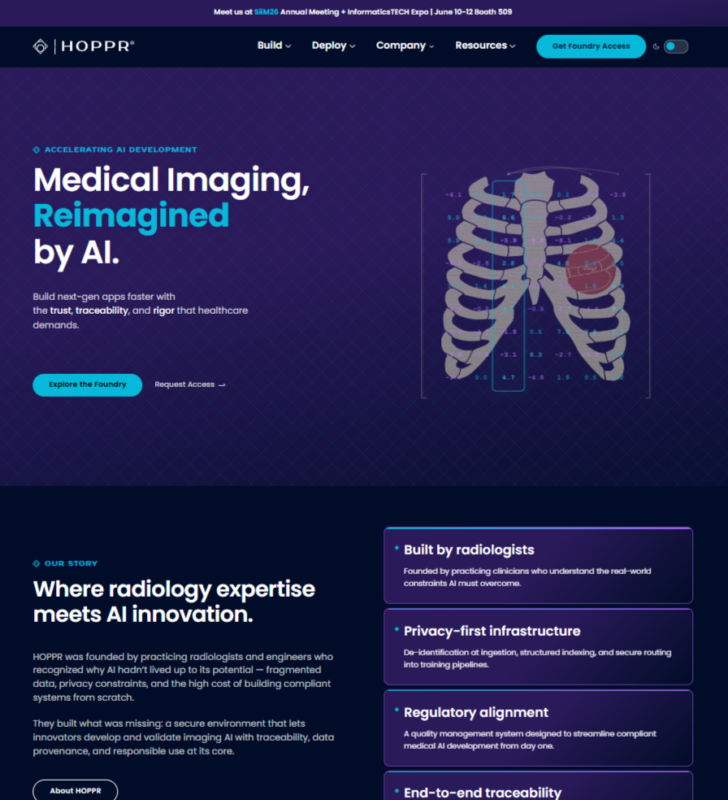
A visual system built for your brand and your product’s level of sophistication, with purposeful motion rather than decorative animation. For Hoppr, an AI medical imaging company, that meant a site that finally looked like precision software instead of a dark template with the logo swapped.
Product, Feature, and Use-Case Architecture
Distinct templates for product overviews, individual features, use cases, industries, and integrations, so each page has its own job for buyers and its own target in search rather than one layout stretched across everything.
Performance as Architecture
Core Web Vitals designed in, not tuned afterward. Dragonboat’s rebuild took Largest Contentful Paint from 15.7 seconds to 2.3 and Total Blocking Time to zero with no visible design change. Hoppr launched at 94 on desktop performance with a 0.8-second LCP.
A CMS Marketing Can Actually Use
Structured fields for every section, so swapping a testimonial, updating pricing, adding an integration, or launching a landing page is a marketing task, not an engineering ticket. Editors get consistency; developers get their sprints back.
Conversion Paths Built In
Demo requests, free trials, and pricing flows designed into the templates with the analytics and CRM integrations wired at build time, so every product and comparison page carries the primary call to action without extra weight.
Migration From Any Platform
Webflow, Squarespace, HubSpot CMS, a headless React or Next.js site, or an aging WordPress install: every URL mapped and redirected, design preserved where it should be, and rankings protected through launch. doxy.me’s JavaScript site moved to WordPress with pixel-perfect fidelity.
The Problems We See Most in SaaS Websites
Before proposing anything, we audit what is there. These findings repeat across software companies from seed stage to public.
Template sameness
The same hero, the same three-column feature grid, the same logo bar, on the same dark theme as a hundred competitors. Buyers cannot tell the products apart because the sites are interchangeable.
Builder weight
Webflow and Squarespace ship more markup and script than a purpose-built theme, and every marketing tool added to the tag manager makes it worse. Mobile performance in the 40s is normal on these sites, and it costs conversions on every page.
Marketing site as an engineering project
A React or headless build that engineers own, so a headline change waits for a deploy and marketing cannot ship a landing page for a campaign. Fast for engineers to build once, slow for the business forever after.
Content search engines cannot read
Client-rendered pages whose product copy and pricing exist only after JavaScript runs. Crawlers and AI systems see a shell. doxy.me lived with this until we rebuilt the front end as semantic HTML.
One template for every intent
Features, use cases, industries, and integrations all forced through the same layout, so pages compete with each other in search and none of them fully serves the buyer who landed there.
Conversion as an afterthought
A demo form bolted on at the end, trial signup routed through three redirects, and no analytics on what actually converts, so the site cannot be improved because nobody can see what it is doing.
Why WordPress for a SaaS Marketing Site
The instinct at many software companies is that the marketing site should use the same modern stack as the product. In practice that puts the site on the engineering roadmap, where it competes with features and loses. A hand-coded WordPress theme gives marketing a mature, well-understood CMS they can run without help, gives you full ownership of the code with no platform fees or lock-in, integrates cleanly with the tools SaaS marketing teams already use, and, built properly, outperforms both page builders and most headless setups on Core Web Vitals. It is also the platform search engines and AI crawlers read most reliably, which is why the same rebuild that made Hoppr faster took its Lighthouse SEO score from 77 to 100. Our WordPress development and page speed optimization services cover the engineering side in more depth.
How a SaaS Website Project Works
Audit and architecture.
A review of the current site, platform, analytics, and rankings, and a page architecture that maps every buyer intent, product, feature, use case, integration, comparison, to a template with a job.
Design and content model.
A visual system built for the product, and a structured content model for every page type so marketing can publish, test, and launch campaigns without engineering.
Build and migrate.
A hand-coded WordPress theme with performance, structured data, and conversion integrations built in, every existing URL mapped and redirected, and design preserved or replaced as the brief requires.
Launch and grow.
Daily monitoring through launch week, analytics and Search Console baselines recorded, and an optional care plan or ongoing SEO engagement so the site keeps compounding.
Design and Search Are the Same Project
A SaaS website that looks exceptional and cannot be found, or ranks well and loses the buyer on arrival, has failed at half its job. We build both halves at once: the templates that make a product look like the category leader are the same templates that carry the structured data, the speed, and the distinct page intents that search engines and AI answers reward. For companies whose site is already on a platform worth keeping, our SaaS SEO services cover the search side on its own. For companies whose platform is the problem, the rebuild is where the SEO starts.
SaaS and Platform Work
An AI medical imaging company off Squarespace, a product portfolio platform off Elementor, a telehealth platform off a JavaScript front end, and an agency site that shows the same discipline applied to a services brand.
HOPPR
How we rebuilt Hoppr.ai from Squarespace to custom WordPress: performance from 42 to 94, SEO score from 77 to 100, and Core Web Vitals passing outright.
Dragonboat

doxy.me

Go Fish Digital
SaaS Website Questions, Answered
What makes a good SaaS website?
A good SaaS website does four things. It communicates what the product does and who it is for within seconds, in a design that reflects the product’s quality rather than a template. It gives every buyer intent its own page, from features and use cases to integrations and comparisons, so visitors and search engines both find exactly what they are looking for. It loads fast on every device, because speed affects both conversions and rankings. And it converts, with demo, trial, and pricing paths designed into the templates and measured in analytics. Underneath, it should run on a platform marketing can publish to without engineering.
Should a SaaS company use Webflow, WordPress, or a custom React site?
Each has a place. Webflow and Squarespace are fast to launch and fine for an early-stage site, but they ship more markup and script than a purpose-built theme, and companies tend to outgrow their design and performance ceilings. A React or headless site can be very fast but puts the marketing site on the engineering roadmap, where headline changes wait for deploys. A hand-coded WordPress theme gives marketing a CMS they can run alone, full code ownership with no platform fees, and, built properly, better Core Web Vitals than either alternative. Hoppr moved from Squarespace and doxy.me from a JavaScript front end for exactly those reasons.
How much does a SaaS website cost?
It depends on the number of page types, the amount of custom design and animation, integrations with your product, CRM, and analytics stack, and whether the project includes a migration. A focused marketing site for an early-stage product is a very different project from a multi-product site with integration directories and a resource library. We scope every project after a discovery call and quote a fixed price, and we do not charge platform fees; when the project ships, you own the code. Our website cost guide walks through the ranges and what drives them.
Can you migrate our site from Squarespace or Webflow without losing rankings?
Yes. Rankings are lost in migrations when URLs change without redirects, when pages that earned links are dropped, or when the new site launches with rendering or indexing problems. We crawl and export every URL before the build starts, map each to its new home, keep URLs that already rank wherever possible, implement one-to-one 301 redirects for the rest, and monitor Search Console daily through the first week. Hoppr’s move from Squarespace to custom WordPress took its Lighthouse SEO score from 77 to 100 in the process.
Can our marketing team edit the site without a developer?
That is one of the main reasons to build it this way. Every section is driven by structured fields with clear labels, so updating a customer logo, changing pricing, adding an integration, publishing a case study, or launching a campaign landing page is a marketing task. Hoppr’s team went from hunting through nested Squarespace settings to a clean, organized editing experience where day-to-day changes need no developer at all.
Do you preserve our existing design or start over?
Whichever the brief calls for. Dragonboat and doxy.me both needed a complete technical rebuild with zero visible change, and we delivered pixel-perfect fidelity to the existing design while replacing everything underneath. Hoppr needed a new design that matched the sophistication of its product, and we built one. The technical approach, a hand-coded WordPress theme with performance and SEO engineered in, is the same either way.
Ready for a website that performs like your product?
Tell us about your product, your current platform, and what the site is costing you in speed, conversions, or engineering time. We will show you exactly how we would approach it, with no obligation.