


WCAG 2.1 AA for WordPress
ADA Website Compliance Services
WCAG audits, remediation in the code, and accessible WordPress builds, verified with independent tooling and documented for your compliance officer. No overlays. Built for the DOJ, HHS, and EU rules now in force, and for the 5,000-plus lawsuits a year that reach private businesses regardless.
Accessibility Is a Legal Standard Now, Not a Nice-to-Have
For years website accessibility lived in a gray area: the Americans with Disabilities Act clearly applied to physical places, courts increasingly said it applied to websites too, and no regulation said exactly what a compliant website was. That has changed. The Department of Justice adopted WCAG 2.1 Level AA as the legal standard for state and local government websites in 2024, the Department of Health and Human Services adopted the same standard for healthcare organizations that receive federal funds, and private businesses continue to be sued under Title III at a rate of more than 5,000 digital accessibility lawsuits a year, according to UsableNet’s 2025 count. Most of those suits name small and mid-sized companies, not enterprises.
Our ADA website compliance services make WordPress sites conform to WCAG 2.1 AA in the code itself, then verify it with independent tooling so you have evidence rather than an assertion. We do not install overlays or widgets. We fix the templates, the components, the content structure, and the forms, because that is what the standard measures, what assistive technology actually uses, and what holds up when a demand letter arrives. That is how The Trust Company of North Carolina reached independently validated WCAG AA, and how Fidelity Bank’s 56-branch site launched with accessibility built into its theme.

What the Rules Require in 2026
The standard everywhere is WCAG 2.1 Level AA. What differs is who is covered and by when.
Private businesses (ADA Title III)
No federal web regulation exists for private businesses; a planned Title III rule is paused indefinitely. Courts apply the ADA to websites anyway, and plaintiffs’ firms filed more than 5,000 digital accessibility suits in 2025, about 70% against ecommerce sites and 64% against companies under $25 million in revenue (UsableNet). WCAG 2.1 AA is the standard settlements and consent decrees reference.
State and local government (ADA Title II)
The DOJ’s April 2024 rule requires WCAG 2.1 AA for government websites and apps. On April 20, 2026 the DOJ extended the deadlines by one year: April 26, 2027 for entities serving 50,000 or more people, and April 26, 2028 for smaller entities and special districts. The extension does not suspend existing ADA obligations.
Healthcare and HHS-funded organizations (Section 504)
HHS’s 2024 rule requires WCAG 2.1 AA from providers and organizations that receive HHS funding, including most hospitals, health systems, and providers that accept Medicaid or other HHS funding. On May 7, 2026 HHS extended its deadlines to May 11, 2027 for organizations with 15 or more employees and May 10, 2028 for smaller ones.
Selling into Europe (European Accessibility Act)
The EAA has applied since June 28, 2025 to ecommerce, banking, and other consumer-facing digital services offered in the EU, including by US companies selling to EU customers. The technical basis is EN 301 549, which incorporates WCAG 2.1 AA.
WCAG 2.2 and what comes next
WCAG 2.2, published in October 2023, adds nine success criteria on top of 2.1, mostly around focus visibility, dragging, target size, and authentication. 2.1 AA remains the legal reference point, and every 2.2 criterion is backward compatible, so we build to 2.2 AA where it is practical and verify against 2.1 AA at minimum.
State laws and repeat claims
New York alone accounts for more than a third of state-court website accessibility cases, and New York and California together produced nearly 2,000 state-court filings in 2025. Nearly half of federal cases in 2025 named companies that had already been sued once, which is what happens when a business settles and installs a widget instead of fixing the site.
Our ADA Website Compliance Services
Scoped to the site and the deadline you are working toward.
WCAG Audit
A full audit against WCAG 2.1 AA (and 2.2 where relevant) using automated scanning, manual testing with keyboard and screen readers, and a review of every template, component, form, and document type. You get a prioritized findings report with the success criterion, the affected templates, and the fix for each item, not a raw scanner export.
Remediation in the Code
We fix what the audit finds where it lives: semantic structure, headings, landmarks, focus order and visibility, color contrast, form labels and error handling, ARIA where it is warranted and removed where it is not, accessible menus and modals, media alternatives, and motion controls. Because we are WordPress developers, the fixes go into the theme, not a bolt-on layer.
Accessible WordPress Builds
New sites built accessible from the first template, which is cheaper than retrofitting and produces a cleaner result. Semantic HTML, a tested color system, keyboard-first components, and structured content models that keep editors from breaking accessibility later. See our custom WordPress development service.
Overlay Removal and Replacement
If your site runs an accessibility overlay or widget, we audit what it is masking, remediate the underlying issues, and remove it. Overlays did not prevent lawsuits in 2025 (UsableNet tracked 95 to 155 suits a month against sites using them), and many assistive-technology users report they make sites harder to use.
Independent Verification and Documentation
Conformance verified with third-party audit tooling after remediation, an accessibility statement for the site, and documentation your compliance officer, counsel, or funder can rely on. For organizations under the HHS or DOJ rules, this is the evidence the deadline requires.
Ongoing Monitoring and Editor Training
Accessibility regresses as content is added. Our WordPress care plans include periodic re-scans, and we train your editors on the handful of habits (alt text, heading order, link text, captions) that keep a compliant site compliant.
Why Overlays and Widgets Do Not Make a Site Compliant
An accessibility overlay is a script that tries to patch a page in the visitor’s browser: adjusting contrast, guessing alt text, and adding its own keyboard handling on top of whatever the site already does. The appeal is obvious: one line of code and a badge. The problem is that WCAG measures the page itself, assistive technology reads the page itself, and an overlay cannot fix a form without labels, a heading structure that is out of order, a menu that traps keyboard focus, or a PDF nobody remediated. Plaintiffs’ firms know this, which is why sites with overlays kept getting sued every month of 2025, and why, in January 2025, the Federal Trade Commission ordered one overlay vendor to pay $1 million over misleading compliance claims. If you have an overlay installed, the responsible path is to treat it as a temporary measure while the underlying site is fixed, then remove it. The full picture, including the FTC order, the class actions and the lawsuit data, is in Do accessibility overlays work?
What WCAG 2.1 AA Actually Asks For
The guidelines organize everything under four principles. Perceivable: text alternatives for images, captions and transcripts for media, content that can be presented in different ways without losing meaning, and enough color contrast (4.5 to 1 for normal text) that it can be read. Operable: everything works from a keyboard alone, focus is visible and moves in a sensible order, nothing flashes dangerously, users have enough time, and there are multiple ways to find pages. Understandable: readable language settings, predictable navigation, and forms that label their fields and explain their errors. Robust: valid, semantic markup that assistive technologies can parse, including correct names, roles, and states on interactive components. Level AA is the middle of three conformance levels and the one every regulation references. Our ADA compliance and WCAG glossary entries, the ADA compliance website checklist and the complete WCAG 2.2 checklist go deeper; if you want a quick read on where your site stands first, ten checks you can do in 30 minutes is the place to start.
How an Accessibility Engagement Works
Audit and prioritize.
Automated and manual testing across every template and component, findings mapped to WCAG success criteria and ranked by user impact and legal exposure, with a fixed quote for remediation.
Remediate in the theme.
Fixes made in the code on staging, template by template, with keyboard and screen-reader checks as we go. Content-level issues (alt text, PDFs, headings) handled with your team.
Verify independently.
Post-remediation conformance verified with third-party audit tooling and manual assistive-technology testing, then documented in an accessibility statement and a report you can hand to counsel or a funder.
Keep it that way.
Editor training, periodic re-scans through a care plan, and a process for checking new components and content before they ship, so the next audit is a formality.
Accessibility, Performance, and SEO Are the Same Codebase
The work that makes a site accessible (semantic HTML, logical headings, labeled forms, text alternatives, lean markup) is the same work that makes it fast and legible to search engines and AI systems. That is why our accessibility projects often improve Core Web Vitals and rankings as a side effect, and why we treat compliance as a property of good engineering rather than a separate checklist. For regulated organizations, our financial services and healthcare work shows what this looks like in practice; for everyone else, a standalone website accessibility audit is the fastest way to find out where you stand. Audits are quoted per site, and every engagement ends with the documentation you will be asked for: a website accessibility statement for the site and, for software products sold to government, healthcare or enterprise buyers, a VPAT.
Accessibility Work
A trust company and a bank built to WCAG AA in regulated industries, plus two platform rebuilds on the same semantic HTML foundation.

Trust Company
Custom WordPress rebuild for a regulated wealth manager: WCAG AA independently validated, faster loads, and organic traffic roughly tripled since launch.
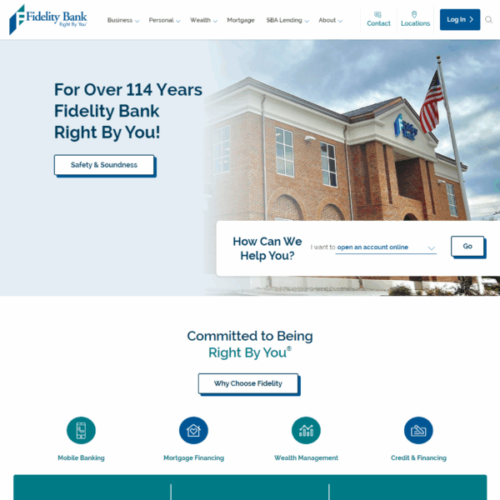
Fidelity Bank
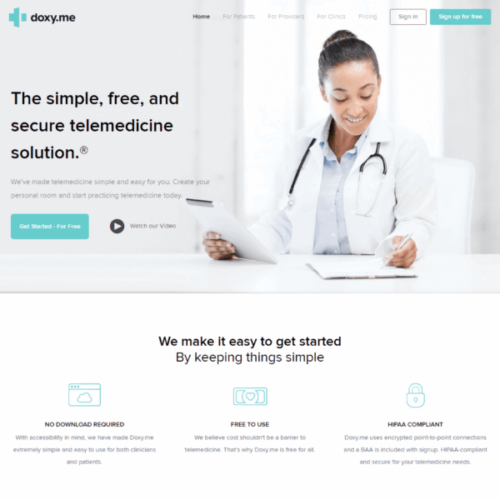
doxy.me
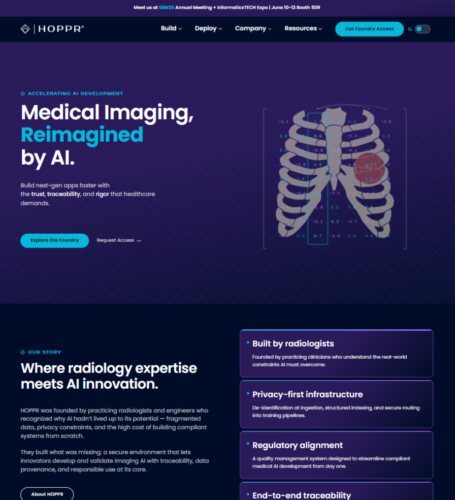
HOPPR
ADA Website Compliance Questions, Answered
Does my business website have to be ADA compliant?
If you are a private business, there is no federal regulation that spells out a website standard for you, and the DOJ’s planned Title III web rule is paused indefinitely. In practice the answer is still yes: courts treat websites of businesses open to the public as covered by the ADA, plaintiffs’ firms filed more than 5,000 digital accessibility lawsuits in 2025 according to UsableNet, and about two-thirds of the companies sued had under $25 million in revenue. WCAG 2.1 Level AA is the standard those cases and settlements reference. If you are a state or local government, a healthcare organization receiving HHS funds, or you sell to customers in the EU, WCAG 2.1 AA is an explicit legal requirement with dates attached.
What are the current website accessibility compliance deadlines?
For state and local governments under the ADA Title II rule, the DOJ extended the deadlines on April 20, 2026: April 26, 2027 for entities serving 50,000 or more people and April 26, 2028 for smaller entities and special districts. For healthcare and other HHS-funded organizations under Section 504, HHS extended on May 7, 2026 to May 11, 2027 for organizations with 15 or more employees and May 10, 2028 for smaller ones. The European Accessibility Act has applied since June 28, 2025. Private businesses have no fixed date, only ongoing litigation exposure, which is its own kind of deadline.
What is the difference between WCAG 2.1 AA and WCAG 2.2?
WCAG 2.2, published in October 2023, adds nine success criteria to 2.1, covering things like keeping focused elements visible, minimum target sizes, alternatives to dragging, consistent help placement, and not requiring users to re-enter information or solve cognitive tests to log in. Everything in 2.1 remains in 2.2, so a 2.2 AA site is also 2.1 AA compliant. The DOJ, HHS, and EU rules all cite 2.1 AA as the legal baseline. We build to 2.2 AA where it is practical and verify against 2.1 AA at minimum, so the site meets the law today and is ready if the reference is updated.
Do accessibility overlays or widgets make a website ADA compliant?
No. An overlay is a script that attempts to patch the page in the browser; it cannot fix missing form labels, broken heading structure, keyboard traps, inaccessible PDFs, or badly built components, which are the things audits and lawsuits actually turn on. UsableNet tracked 95 to 155 lawsuits every month of 2025 against sites that were running an overlay, and in January 2025 the FTC fined one overlay vendor $1 million over misleading compliance claims. Overlays can also interfere with the assistive technology people already use. We remediate the site in the code and then remove the overlay.
How much does ADA website compliance cost?
It depends on the size of the site, the number of templates and components, how it was built, and how many issues the audit finds. A hand-coded site with a small number of templates is a very different job from a page-builder site with hundreds of pages and a library of PDFs. We start with a WCAG audit, quoted per site, which tells you exactly what needs fixing, and then quote remediation as a fixed price from those findings. For new builds, accessibility is part of the project rather than an add-on, and it is always cheaper than retrofitting.
How do you make a WordPress site accessible?
Mostly in the theme. WordPress core is reasonably accessible on its own; the problems come from themes, page builders, plugins, and content. We fix semantic structure and heading order in the templates, make menus, modals, sliders, and forms work from the keyboard with visible focus, correct color contrast in the design system, add proper labels and error messages to forms, handle images and media alternatives, replace inaccessible plugins or page-builder components with accessible theme code, and set up editors so that alt text, headings, and link text are done right by default. Then we test with screen readers and keyboard alone, and verify with independent tooling.
Can you provide accessibility documentation for our compliance officer or funder?
Yes. After remediation we verify conformance with third-party audit tooling and manual assistive-technology testing, and deliver a written report mapped to WCAG success criteria along with an accessibility statement for the site. That is the kind of evidence a compliance officer, general counsel, or federal funder expects under the HHS and DOJ rules. The Trust Company of North Carolina’s WCAG AA conformance was verified this way rather than self-assessed.
Find out where your site stands before someone else does.
Send us the URL and we will scope a WCAG 2.1 AA audit, tell you what is likely to be found, and give you a fixed quote for fixing it in the code, with no obligation.
Accessibility and Compliance Insights

ADA Compliance Website Checklist (2026): WCAG 2.2 AA in Plain Language
A plain-language ADA checklist for 2026: the WCAG 2.2 AA items editors control, the ones built into the code, current...
Read article
Is My Website ADA Compliant? Ten Checks You Can Do in 30 Minutes
Ten checks anyone can run in 30 minutes: keyboard only, a screen reader on your contact form, WAVE, contrast, headings,...
Read article
Building Websites for Everyone: What Cancer Survivors Teach Us About Inclusive Design
A study of cancer survivors shows how common vision, dexterity and focus barriers are online, and what inclusive design and...
Read article